Most people meet Claude Code with the wrong picture in their head. They expect a smarter autocomplete, type a vague request, get a vague result and decide the tool is overrated.
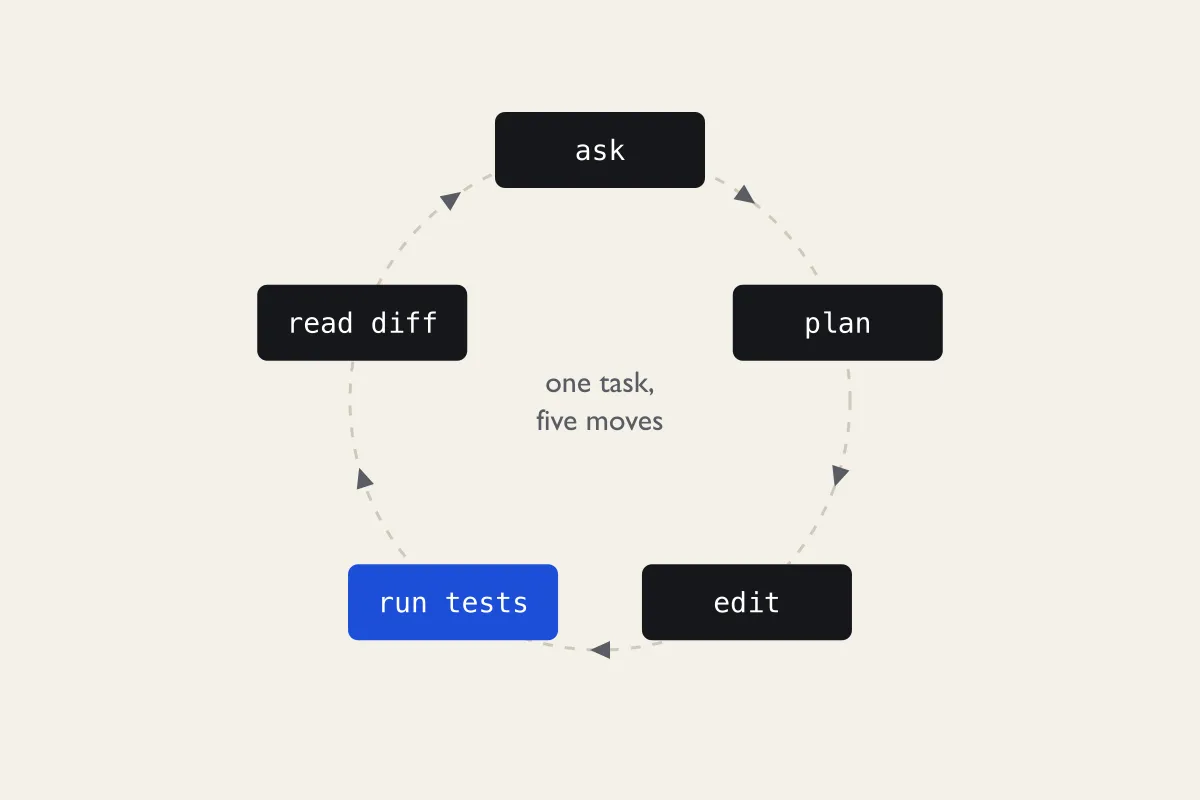
Claude Code runs in your terminal, inside your project folder. It can open any file there, run your test suite, read the error and try again, and it keeps going until the task is done or it needs your permission. That changes what you have to be good at. Clever prompt phrasing matters far less than two duller skills: giving the agent the context a new colleague would need, and reviewing what it did before you accept it.
The useful question is not "what should I type?" but "what would a new hire need to know before touching this repo?"
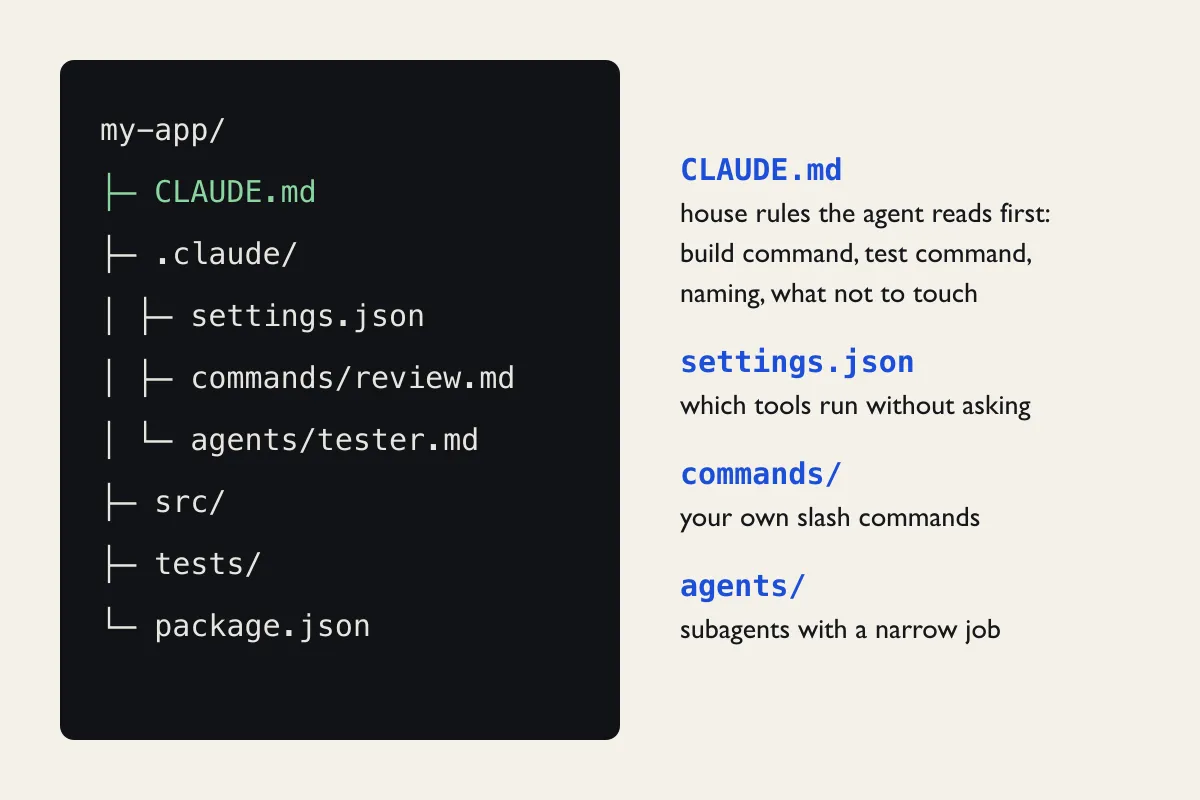
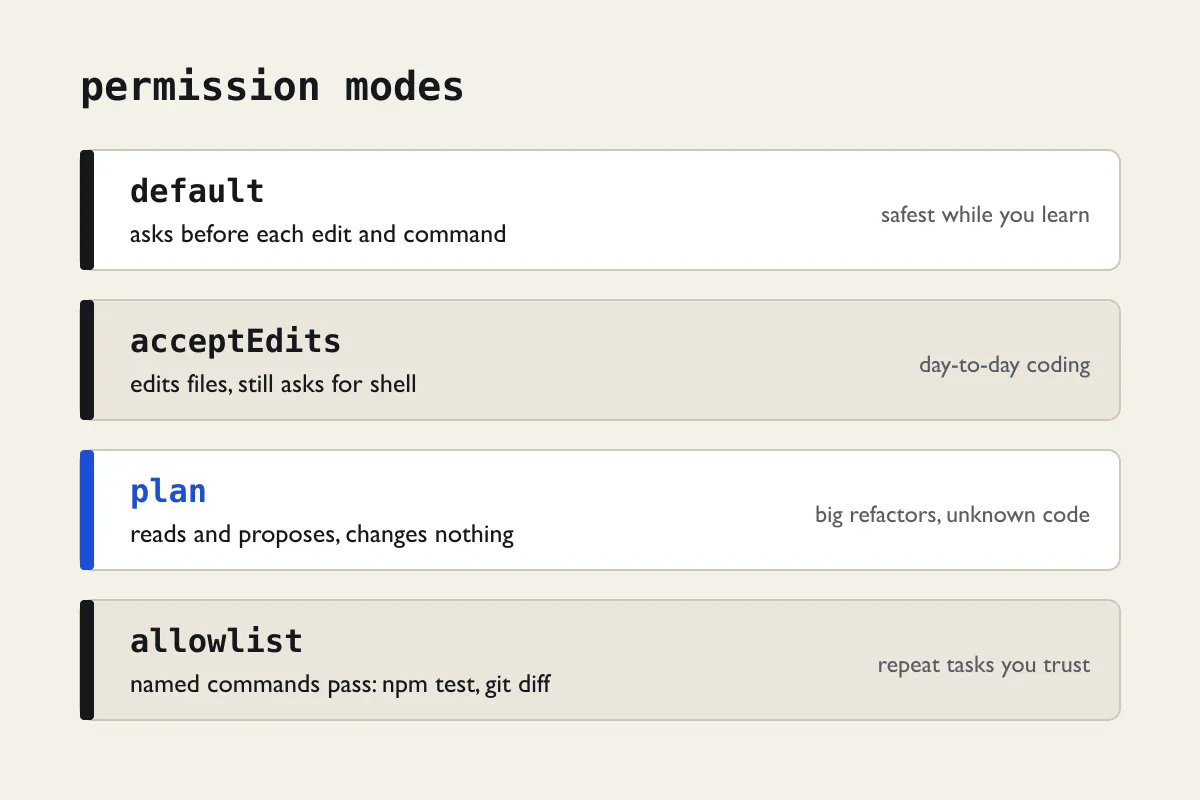
That is why the webinar spends almost no time on prompt templates. We spend it on a CLAUDE.md file, on permission settings, on reading diffs and on knowing when to press Escape. Those habits carry over from one release to the next. A list of magic phrases goes stale by next month.
There is a fair objection here: for a five-line script, all this setup is overkill, and a plain chat is quicker. We agree, and we will say where the line sits in our own work.